| <!--Copyright 2023 The HuggingFace Team. All rights reserved. |
|
|
| Licensed under the Apache License, Version 2.0 (the "License"); you may not use this file except in compliance with |
| the License. You may obtain a copy of the License at |
|
|
| http://www.apache.org/licenses/LICENSE-2.0 |
|
|
| Unless required by applicable law or agreed to in writing, software distributed under the License is distributed on |
| an "AS IS" BASIS, WITHOUT WARRANTIES OR CONDITIONS OF ANY KIND, either express or implied. See the License for the |
| specific language governing permissions and limitations under the License. |
| --> |
|
|
| |
|
|
| [Adding Conditional Control to Text-to-Image Diffusion Models](https://arxiv.org/abs/2302.05543) (ControlNet) by Lvmin Zhang and Maneesh Agrawala. |
|
|
| This example is based on the [training example in the original ControlNet repository](https://github.com/lllyasviel/ControlNet/blob/main/docs/train.md). It trains a ControlNet to fill circles using a [small synthetic dataset](https://huggingface.co/datasets/fusing/fill50k). |
|
|
| |
|
|
| Before running the scripts, make sure to install the library's training dependencies. |
|
|
| <Tip warning={true}> |
|
|
| To successfully run the latest versions of the example scripts, we highly recommend **installing from source** and keeping the installation up to date. We update the example scripts frequently and install example-specific requirements. |
|
|
| </Tip> |
|
|
| To do this, execute the following steps in a new virtual environment: |
| ```bash |
| git clone https://github.com/huggingface/diffusers |
| cd diffusers |
| pip install -e . |
| ``` |
|
|
| Then navigate into the example folder and run: |
| ```bash |
| pip install -r requirements.txt |
| ``` |
|
|
| And initialize an [🤗Accelerate](https://github.com/huggingface/accelerate/) environment with: |
|
|
| ```bash |
| accelerate config |
| ``` |
|
|
| Or for a default 🤗Accelerate configuration without answering questions about your environment: |
|
|
| ```bash |
| accelerate config default |
| ``` |
|
|
| Or if your environment doesn't support an interactive shell like a notebook: |
|
|
| ```python |
| from accelerate.utils import write_basic_config |
|
|
| write_basic_config() |
| ``` |
|
|
| |
|
|
| The original dataset is hosted in the ControlNet [repo](https://huggingface.co/lllyasviel/ControlNet/blob/main/training/fill50k.zip), but we re-uploaded it [here](https://huggingface.co/datasets/fusing/fill50k) to be compatible with 🤗 Datasets so that it can handle the data loading within the training script. |
|
|
| Our training examples use [`runwayml/stable-diffusion-v1-5`](https://huggingface.co/runwayml/stable-diffusion-v1-5) because that is what the original set of ControlNet models was trained on. However, ControlNet can be trained to augment any compatible Stable Diffusion model (such as [`CompVis/stable-diffusion-v1-4`](https://huggingface.co/CompVis/stable-diffusion-v1-4)) or [`stabilityai/stable-diffusion-2-1`](https://huggingface.co/stabilityai/stable-diffusion-2-1). |
|
|
| |
|
|
| Download the following images to condition our training with: |
|
|
| ```sh |
| wget https://huggingface.co/datasets/huggingface/documentation-images/resolve/main/diffusers/controlnet_training/conditioning_image_1.png |
|
|
| wget https://huggingface.co/datasets/huggingface/documentation-images/resolve/main/diffusers/controlnet_training/conditioning_image_2.png |
| ``` |
|
|
|
|
| ```bash |
| export MODEL_DIR="runwayml/stable-diffusion-v1-5" |
| export OUTPUT_DIR="path to save model" |
|
|
| accelerate launch train_controlnet.py \ |
| --pretrained_model_name_or_path=$MODEL_DIR \ |
| --output_dir=$OUTPUT_DIR \ |
| --dataset_name=fusing/fill50k \ |
| --resolution=512 \ |
| --learning_rate=1e-5 \ |
| --validation_image "./conditioning_image_1.png" "./conditioning_image_2.png" \ |
| --validation_prompt "red circle with blue background" "cyan circle with brown floral background" \ |
| --train_batch_size=4 |
| ``` |
|
|
| This default configuration requires ~38GB VRAM. |
|
|
| By default, the training script logs outputs to tensorboard. Pass `--report_to wandb` to use Weights & |
| Biases. |
|
|
| Gradient accumulation with a smaller batch size can be used to reduce training requirements to ~20 GB VRAM. |
|
|
| ```bash |
| export MODEL_DIR="runwayml/stable-diffusion-v1-5" |
| export OUTPUT_DIR="path to save model" |
|
|
| accelerate launch train_controlnet.py \ |
| --pretrained_model_name_or_path=$MODEL_DIR \ |
| --output_dir=$OUTPUT_DIR \ |
| --dataset_name=fusing/fill50k \ |
| --resolution=512 \ |
| --learning_rate=1e-5 \ |
| --validation_image "./conditioning_image_1.png" "./conditioning_image_2.png" \ |
| --validation_prompt "red circle with blue background" "cyan circle with brown floral background" \ |
| --train_batch_size=1 \ |
| --gradient_accumulation_steps=4 |
| ``` |
|
|
| |
|
|
| |
|
|
| | | | |
| |-------------------|:-------------------------:| |
| | | red circle with blue background | |
|  | 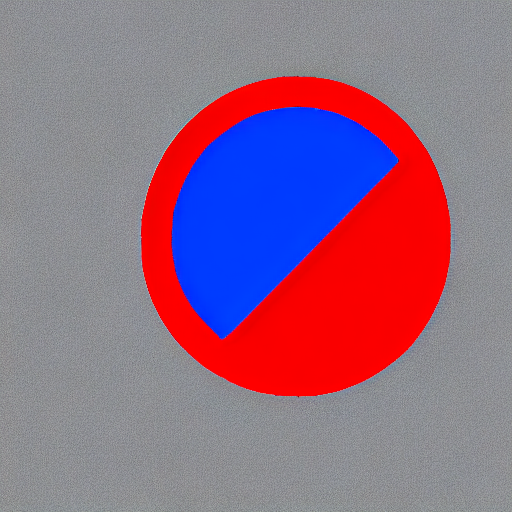 | |
| | | cyan circle with brown floral background | |
|  | 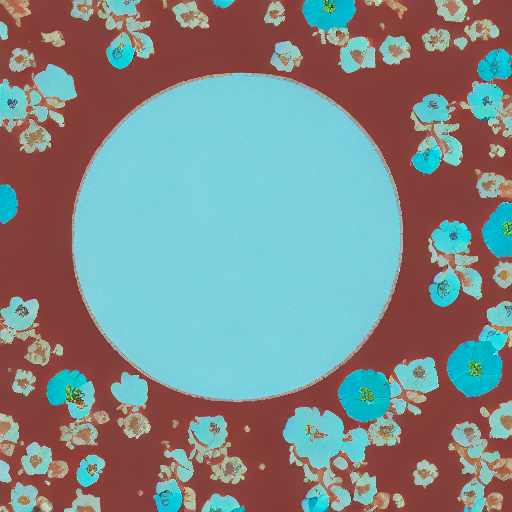 | |
|
|
|
|
| |
|
|
| | | | |
| |-------------------|:-------------------------:| |
| | | red circle with blue background | |
|  |  | |
| | | cyan circle with brown floral background | |
|  | 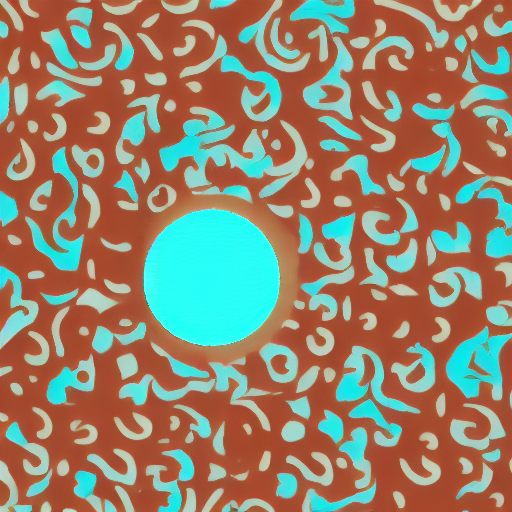 | |
|
|
| |
|
|
| Enable the following optimizations to train on a 16GB GPU: |
|
|
| - Gradient checkpointing |
| - bitsandbyte's 8-bit optimizer (take a look at the [installation]((https://github.com/TimDettmers/bitsandbytes |
|
|
| Now you can launch the training script: |
|
|
| ```bash |
| export MODEL_DIR="runwayml/stable-diffusion-v1-5" |
| export OUTPUT_DIR="path to save model" |
|
|
| accelerate launch train_controlnet.py \ |
| --pretrained_model_name_or_path=$MODEL_DIR \ |
| --output_dir=$OUTPUT_DIR \ |
| --dataset_name=fusing/fill50k \ |
| --resolution=512 \ |
| --learning_rate=1e-5 \ |
| --validation_image "./conditioning_image_1.png" "./conditioning_image_2.png" \ |
| --validation_prompt "red circle with blue background" "cyan circle with brown floral background" \ |
| --train_batch_size=1 \ |
| --gradient_accumulation_steps=4 \ |
| --gradient_checkpointing \ |
| --use_8bit_adam |
| ``` |
|
|
| |
|
|
| Enable the following optimizations to train on a 12GB GPU: |
| - Gradient checkpointing |
| - bitsandbyte's 8-bit optimizer (take a look at the [installation]((https://github.com/TimDettmers/bitsandbytes |
| - xFormers (take a look at the [installation](https://huggingface.co/docs/diffusers/training/optimization/xformers) instructions if you don't already have it installed) |
| - set gradients to `None` |
|
|
| ```bash |
| export MODEL_DIR="runwayml/stable-diffusion-v1-5" |
| export OUTPUT_DIR="path to save model" |
|
|
| accelerate launch train_controlnet.py \ |
| --pretrained_model_name_or_path=$MODEL_DIR \ |
| --output_dir=$OUTPUT_DIR \ |
| --dataset_name=fusing/fill50k \ |
| --resolution=512 \ |
| --learning_rate=1e-5 \ |
| --validation_image "./conditioning_image_1.png" "./conditioning_image_2.png" \ |
| --validation_prompt "red circle with blue background" "cyan circle with brown floral background" \ |
| --train_batch_size=1 \ |
| --gradient_accumulation_steps=4 \ |
| --gradient_checkpointing \ |
| --use_8bit_adam \ |
| --enable_xformers_memory_efficient_attention \ |
| --set_grads_to_none |
| ``` |
|
|
| When using `enable_xformers_memory_efficient_attention`, please make sure to install `xformers` by `pip install xformers`. |
|
|
| |
|
|
| We have not exhaustively tested DeepSpeed support for ControlNet. While the configuration does |
| save memory, we have not confirmed whether the configuration trains successfully. You will very likely |
| have to make changes to the config to have a successful training run. |
|
|
| Enable the following optimizations to train on a 8GB GPU: |
| - Gradient checkpointing |
| - bitsandbyte's 8-bit optimizer (take a look at the [installation]((https://github.com/TimDettmers/bitsandbytes |
| - xFormers (take a look at the [installation](https://huggingface.co/docs/diffusers/training/optimization/xformers) instructions if you don't already have it installed) |
| - set gradients to `None` |
| - DeepSpeed stage 2 with parameter and optimizer offloading |
| - fp16 mixed precision |
|
|
| [DeepSpeed](https://www.deepspeed.ai/) can offload tensors from VRAM to either |
| CPU or NVME. This requires significantly more RAM (about 25 GB). |
|
|
| You'll have to configure your environment with `accelerate config` to enable DeepSpeed stage 2. |
|
|
| The configuration file should look like this: |
|
|
| ```yaml |
| compute_environment: LOCAL_MACHINE |
| deepspeed_config: |
| gradient_accumulation_steps: 4 |
| offload_optimizer_device: cpu |
| offload_param_device: cpu |
| zero3_init_flag: false |
| zero_stage: 2 |
| distributed_type: DEEPSPEED |
| ``` |
|
|
| <Tip> |
|
|
| See [documentation](https://huggingface.co/docs/accelerate/usage_guides/deepspeed) for more DeepSpeed configuration options. |
|
|
| <Tip> |
|
|
| Changing the default Adam optimizer to DeepSpeed's Adam |
| `deepspeed.ops.adam.DeepSpeedCPUAdam` gives a substantial speedup but |
| it requires a CUDA toolchain with the same version as PyTorch. 8-bit optimizer |
| does not seem to be compatible with DeepSpeed at the moment. |
|
|
| ```bash |
| export MODEL_DIR="runwayml/stable-diffusion-v1-5" |
| export OUTPUT_DIR="path to save model" |
|
|
| accelerate launch train_controlnet.py \ |
| --pretrained_model_name_or_path=$MODEL_DIR \ |
| --output_dir=$OUTPUT_DIR \ |
| --dataset_name=fusing/fill50k \ |
| --resolution=512 \ |
| --validation_image "./conditioning_image_1.png" "./conditioning_image_2.png" \ |
| --validation_prompt "red circle with blue background" "cyan circle with brown floral background" \ |
| --train_batch_size=1 \ |
| --gradient_accumulation_steps=4 \ |
| --gradient_checkpointing \ |
| --enable_xformers_memory_efficient_attention \ |
| --set_grads_to_none \ |
| --mixed_precision fp16 |
| ``` |
|
|
| |
|
|
| The trained model can be run with the [`StableDiffusionControlNetPipeline`]. |
| Set `base_model_path` and `controlnet_path` to the values `--pretrained_model_name_or_path` and |
| `--output_dir` were respectively set to in the training script. |
|
|
| ```py |
| from diffusers import StableDiffusionControlNetPipeline, ControlNetModel, UniPCMultistepScheduler |
| from diffusers.utils import load_image |
| import torch |
|
|
| base_model_path = "path to model" |
| controlnet_path = "path to controlnet" |
|
|
| controlnet = ControlNetModel.from_pretrained(controlnet_path, torch_dtype=torch.float16) |
| pipe = StableDiffusionControlNetPipeline.from_pretrained( |
| base_model_path, controlnet=controlnet, torch_dtype=torch.float16 |
| ) |
|
|
| |
| pipe.scheduler = UniPCMultistepScheduler.from_config(pipe.scheduler.config) |
| |
| pipe.enable_xformers_memory_efficient_attention() |
|
|
| pipe.enable_model_cpu_offload() |
|
|
| control_image = load_image("./conditioning_image_1.png") |
| prompt = "pale golden rod circle with old lace background" |
|
|
| |
| generator = torch.manual_seed(0) |
| image = pipe(prompt, num_inference_steps=20, generator=generator, image=control_image).images[0] |
|
|
| image.save("./output.png") |
| ``` |
|
|